on wflows.io
Publishing
Anyone with an account can publish a workflow to the library. Two paths to ship: from the wflow desktop (one click on a card you authored) or via the website's paste form. Either way takes a few minutes from "I have a useful chord" to "my workflow is in the library, anyone can install it."
1. Sign in
Sign up or sign in via GitHub or Discord, those are the two providers wired up today. Pick a handle (3–30 chars, lowercase, hyphens OK). That handle becomes the namespace for every workflow you publish and the URL of your public profile.
Handle renames aren't supported yet. Pick something you'll be happy seeing on your public profile a year from now.
2. Publish from the wflow desktop
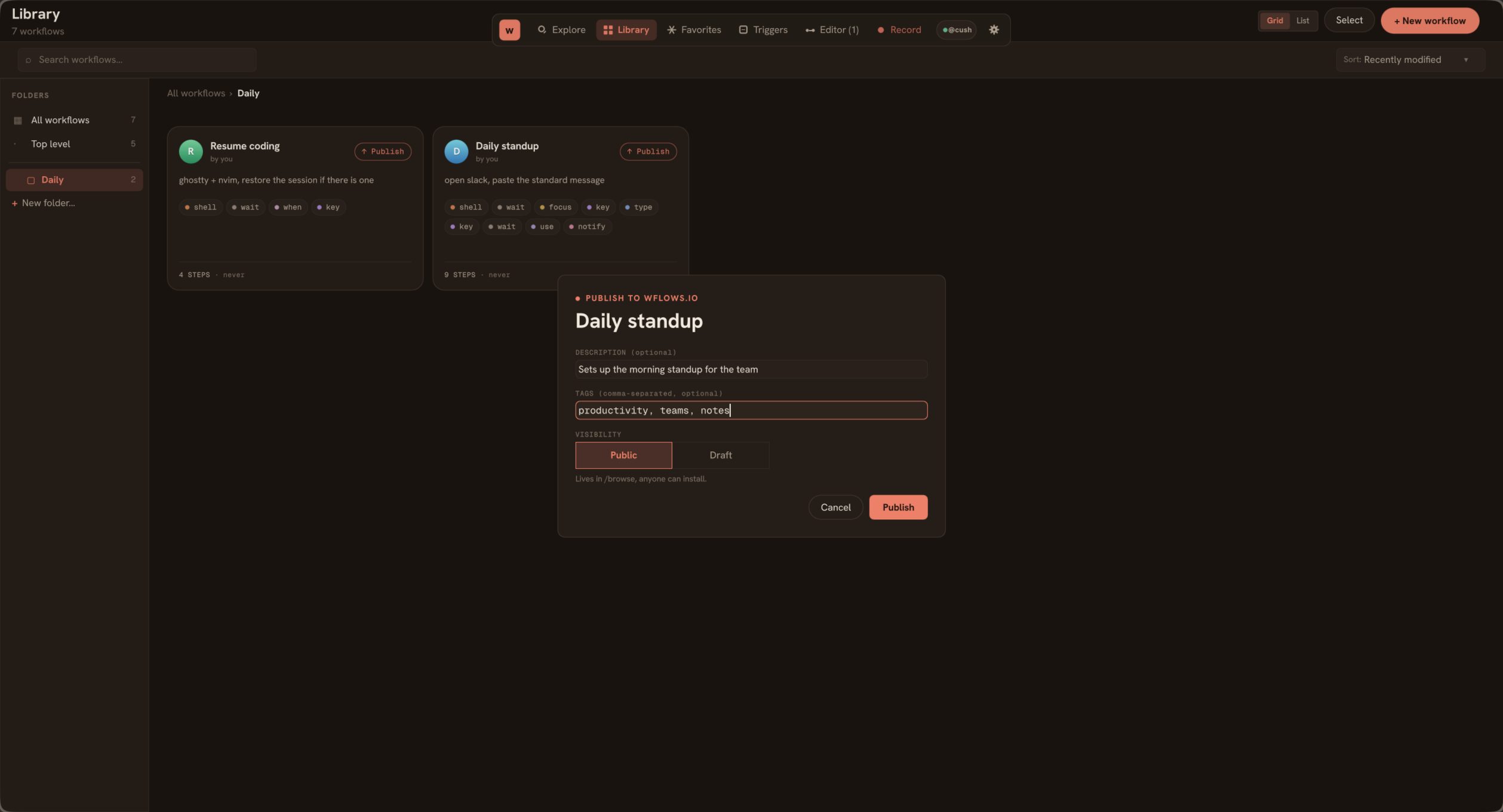
Once you're signed in (the desktop's Account section in Settings handles the browser handoff), every card in your Library grows a small ↑ Publish pill in the top-right corner. Right-clicking a card surfaces the same action in its context menu.
Click it, fill in the description, tags, and visibility, and the desktop posts the workflow's KDL to the publish endpoint. The KDL on disk is the source of truth, no copy-paste, no reformatting.
2. Publish from the website
On /publish, paste the contents of a .kdl workflow file into the KDL source field. The title and step list come straight from the KDL itself; you don't type them again. The slug is auto-generated from the title.
Validation runs on submit:
- Bad syntax → friendly error pointing at the failing line
- Unknown action kind → error listing the valid kinds
- Missing title → error
- Source over the size cap → error
3. Add the metadata
Three optional fields:
- One-line description, shows on the card in /browse. Keep it punchy. The card is your only shot at convincing someone to click.
- Readme, markdown, shows on the workflow detail page below the KDL source. Use it for "why this exists," caveats, variants, anything that doesn't fit in the one-liner.
- Tags, comma-separated, lowercase, hyphens OK. Help discovery via
/browse?tag=....
4. Pick visibility
Public = listed in /browse, indexable, anyone can install. Draft = only you can see it; no URL anyone else can guess will resolve. Flip a draft to public from the workflow's edit page later.
5. Ship
Hit publish. You land on /{your-handle}/{slug}, the workflow's permanent home. The card appears on /browse immediately for public workflows. Drafts stay private until you promote them.
Three norms
- Credit makers. If you remix someone else's workflow, link the original. Authorship is load-bearing here.
- Show the work. Paste the KDL, not just a screenshot. The point of the library is that other people can read what you built and learn from it.
- Be kind. Discord is for KDL craft and engine feedback, not drama.
Editing + versioning
Every published workflow has an Edit link that only the author sees. Edits update the live page; there's no separate "publish a new version" flow today. Workflows are living documents.
Refunding the install count or rolling back a version isn't in the UI yet. Email hello@wflows.io if you need either.
Under the hood
The desktop publish flow posts to POST /api/v0/workflows with a Bearer token from the desktop sign-in handshake. See the v0 API reference for the endpoint shape if you're building a third-party publisher.